
When you travel, your personal data faces many risks on public networks. To protect yourself, use a reliable VPN to encrypt your internet connection and hide your activity. Always enable full-device encryption and encrypt sensitive files, messages, and emails. Avoid sharing passwords or logging into personal accounts on insecure Wi-Fi. These simple steps can drastically reduce your chances of cyber threats. Keep exploring for more effective strategies to keep your data safe during your journeys.
Key Takeaways
- Use a reputable VPN to encrypt your internet connection on public networks.
- Enable full-device encryption to protect data if your device is lost or stolen.
- Avoid accessing sensitive information over unsecured Wi-Fi networks.
- Encrypt personal messages, emails, and files for added security during travel.
- Stay aware of cyber threats and use security tools like threat visualization to identify vulnerabilities.
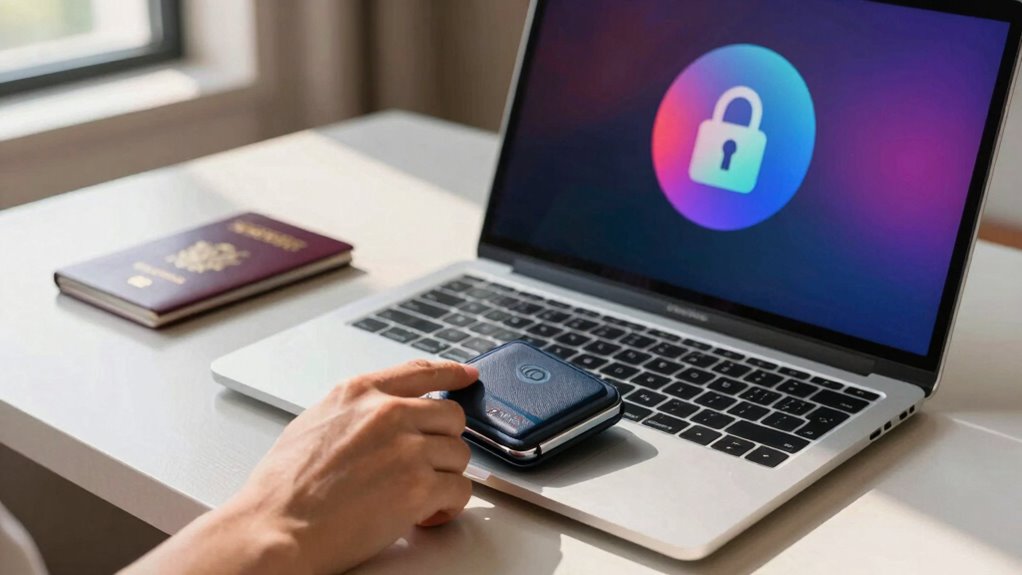
Are you aware of how vulnerable your personal data can be when you’re traveling? When you’re in unfamiliar places, connecting to public Wi-Fi networks or using shared devices, your information becomes a tempting target for cybercriminals. Luckily, simple steps like using VPN protection and mobile encryption can greatly reduce these risks and keep your data safe. Implementing a high-quality VPN with a high refresh rate ensures a seamless experience with minimal lag, which is especially useful during sensitive transactions. VPN protection, or Virtual Private Network, creates a secure, encrypted tunnel between your device and the internet. Whenever you connect to a public Wi-Fi, activating a VPN masks your online activity, making it nearly impossible for hackers to intercept your data. It disguises your IP address and encrypts your traffic, ensuring sensitive information—like passwords, banking details, and personal messages—remains private. Think of it as a private, secure passage through the web, even in crowded cafes or airports. Many reliable VPN services are user-friendly and affordable, so there’s little reason not to use one whenever you’re traveling. Remember, without a VPN, your personal data is susceptible to eavesdropping, man-in-the-middle attacks, and other cyber threats common on unsecured networks.
Mobile encryption is another vital layer of protection. It involves encrypting the data stored on your device and the data you transmit, rendering it unreadable to anyone who doesn’t have the decryption key. Enabling full-device encryption, if your phone offers it, guarantees that even if your device is lost or stolen, your personal information remains protected. Additionally, encrypting your messages, emails, and files adds an extra barrier against unauthorized access. Encrypted communication apps, for example, ensure that your conversations stay private, no matter where you are. Mobile encryption is especially important when handling sensitive data like travel itineraries, financial records, or personal photos, which could be exploited if accessed by malicious actors. Incorporating a high contrast ratio in your security setup can help you better visualize and understand potential threats, making your defenses more effective.
Frequently Asked Questions
How Can I Recover Lost or Stolen Devices Securely?
If your device is lost or stolen, act quickly by using remote wipe to delete sensitive data remotely, preventing unauthorized access. Make sure you have regular backup recovery plans in place, so you can restore your data on a new device seamlessly. Contact your provider immediately, change passwords, and enable tracking features. These steps help protect your information and reduce potential damage from lost or stolen devices.
What Are the Best Apps for Securing Travel Data?
Think of your travel data like a treasure chest—you want it locked tight. Use apps like Dashlane or LastPass as your password managers to generate and store strong passwords securely. Encryption tools like Signal or ProtonMail keep your messages private, like a secret code only you understand. These apps protect your info from prying eyes, ensuring your travel adventures stay safe and your digital treasures stay yours.
How Do I Detect if My Device Has Been Hacked?
You can detect if your device has been hacked by looking for signs of device malware or unauthorized access. Check for unusual activity, such as strange apps, battery drain, or unexpected pop-ups. Review your recent data usage and app permissions. Run a trusted security scan or antivirus app to identify malware. Keep your software updated and change passwords immediately if you suspect your device has been compromised.
Are Public Wi-Fi Networks Safe for Accessing Sensitive Information?
Using your device on public Wi-Fi is like trusting a shady hacker with your secrets. It’s risky, so avoid transmitting sensitive info. If you must, enable data encryption and use a VPN. Public Wi-Fi isn’t entirely safe, but these steps help protect your data. Always double-check network security, and never access bank accounts or personal info without extra safeguards. Stay vigilant, and your data stays safer.
How Can I Protect My Online Banking While Traveling?
To protect your online banking while traveling, use strong, unique passwords and update them regularly with a reliable password manager. Enable biometric authentication, like fingerprint or facial recognition, for extra security. Avoid public Wi-Fi for banking transactions or use a trusted VPN if necessary. Always log out after each session and monitor your accounts frequently for any suspicious activity. These simple steps help keep your finances safe on the go.
Conclusion
As you pack your bags and step into new destinations, remember that your data is like a fragile passport—valuable and worth protecting. With simple steps, you shield yourself from unseen threats lurking in the digital shadows. Picture your information as a lighthouse guiding you safely through the stormy seas of cyber danger. Stay vigilant, stay secure, and enjoy your journey knowing your digital world is just as protected as your physical one. Safe travels!