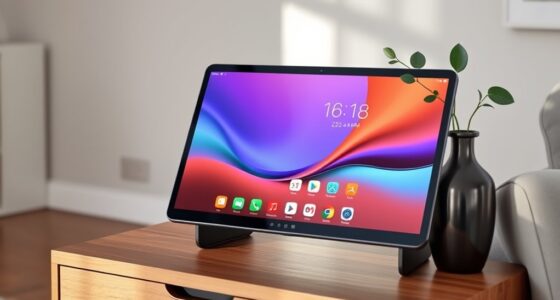
Choosing a premium E Ink tablet for note taking involves balancing display quality, note-taking features, and overall usability. For most users, the BOOX Note Air 5 C stands out for its vibrant color display and Android flexibility, making it a versatile choice. The Kindle Scribe 64GB offers a large, paper-like screen with excellent writing ergonomics, perfect for dedicated readers and writers. Meanwhile, the reMarkable Paper Pro excels in delivering a natural paper-like experience with vibrant color, ideal for detailed sketches and organized notes. Each option has tradeoffs—such as refresh rates, weight, or color limitations—that influence who they are best suited for.

Get travel and outdoor gear delivered free with Prime
- Fast, free delivery on millions of items
- Prime Video, Amazon Music and more included
- Member-only deals all year
Complete the kit



Key Takeaways
- Color E Ink displays like Kaleido 3 bring vibrant visuals but have inherent contrast and refresh rate limitations.
- Large, high-resolution screens enhance note-taking and reading comfort, often at the expense of portability.
- Android-based tablets provide app flexibility but may be slower due to E Ink refresh constraints.
- Stylus quality and features differentiate premium models, impacting note precision and ease of use.
- Battery life and weight vary significantly, influencing suitability for extended use or one-handed operation.
| BOOX Note Air 5 C 10.3″ E Ink Tablet with Color Display, 6GB RAM, 64GB Storage, Android 15 |  | Best Overall for Versatility and Color | Display: 10.3-inch Kaleido 3 color E Ink | Resolution: 2480 x 1860 (B/W), 1240 x 930 (Color) | Touch: Stylus and capacitive touch | VIEW ON AMAZON | See Our Full Breakdown |
| Amazon Kindle Scribe (32GB) – Refurbished with Premium Pen |  | Best for Long-Form Reading and Note Taking | Display: 10.2-inch glare-free, 300 ppi | Storage: 16 GB, 32 GB, or 64 GB | Weight: 15.3 oz | VIEW ON AMAZON | See Our Full Breakdown |
| Kindle Scribe 64GB (Newest Model) – 11″ Display with Pen Included |  | Best Large Screen Experience for Reading & Writing | Display: 11-inch glare-free with front light | Weight: 400g | Pen: Included, rechargeable with eraser | VIEW ON AMAZON | See Our Full Breakdown |
| BOOX Tablet Go 10.3 Gen II Lumi ePaper E Ink Tablet Notebook |  | Best for Note Taking and Multimedia Balance | Screen: 10.3″ HD ePaper glass | Resolution: 2480×1860 (300 ppi) | Stylus: BOOX InkSense Plus with pressure sensitivity | VIEW ON AMAZON | See Our Full Breakdown |
| reMarkable Paper Pro with Marker Plus |  | Best for Natural, Color Note Taking & Sketching | Display: 11.8-inch Canvas Color | Included Accessories: Marker Plus with eraser, spare tips | Features: Color display, adjustable reading light, low-glare | VIEW ON AMAZON | See Our Full Breakdown |
| premium eink tablets for note taking | Display |
|---|---|
| BOOX Note Air 5 C 10.3" E Ink | 10.3-inch Kaleido 3 color E Ink |
| Amazon Kindle Scribe | 10.2-inch glare-free, 300 ppi |
| Kindle Scribe 64GB | 11-inch glare-free with front light |
| BOOX Tablet Go 10.3 Gen II Lum | — |
| reMarkable Paper Pro with Mark | 11.8-inch Canvas Color |
More Details on Our Top Picks
BOOX Note Air 5 C 10.3″ E Ink Tablet with Color Display, 6GB RAM, 64GB Storage, Android 15
The BOOX Note Air 5 C combines a high-resolution 10.3-inch Kaleido 3 color display with Android 15, making it one of the most flexible options available. Its support for a wide range of formats and third-party apps allows for a customizable experience, suitable for both reading and note-taking. Its color display is a major advantage for visual learners or those who prefer vibrant static content, but the Kaleido 3 technology can struggle with darker shades, leading to less contrast than monochrome screens. The refresh rate remains slow, affecting responsiveness during quick app switching or note editing, which may frustrate users expecting snappy performance. Still, its lightweight design and built-in features like speakers and fingerprint sensor make it a strong all-rounder.
Pros:- Vibrant color display with high resolution
- Supports a variety of document and image formats
- Android 15 OS allows app installation
- Lightweight and portable design
Cons:- Color Kaleido 3 technology has visibility limitations in dark shades
- Slower refresh rates affect responsiveness
- Not suited for animation-heavy applications
Best for: Users who want a versatile device capable of color content, app flexibility, and light multimedia use.
Not ideal for: Those seeking fast refresh rates for dynamic content or intensive multimedia use.
- Display:10.3-inch Kaleido 3 color E Ink
- Resolution:2480 x 1860 (B/W), 1240 x 930 (Color)
- Touch:Stylus and capacitive touch
- Processor:Octa-core
- RAM:6GB
- Storage:64GB
Our verdict“A flexible, color-capable E Ink tablet best suited for users needing versatility over speed.”
Amazon Kindle Scribe (32GB) – Refurbished with Premium Pen
The Kindle Scribe 32GB is a dedicated reading and writing device with a 10.2-inch glare-free display that closely mimics paper. Its high resolution and built-in AI tools for note summarization make it especially appealing for readers who also want to jot down notes or annotations. The included Premium Pen offers a natural handwriting experience, and its long battery life supports extended use without frequent recharges. However, its refurbished status means packaging might be generic, and it lacks cellular connectivity, limiting use to Wi-Fi. While it excels at reading and simple note-taking, it’s less adaptable for multitasking or multimedia consumption compared to Android-based devices.
Pros:- High-resolution 10.2-inch display for reading and writing
- Includes a Premium Pen for natural handwriting
- AI tools for note summarization and conversion
- Long battery life supports weeks of use
Cons:- Refurbished device may come in generic packaging
- Limited to Wi-Fi, no cellular option
- Battery life may vary with usage intensity
Best for: Readers and writers who prioritize a natural writing experience and long battery life in a focused device.
Not ideal for: Users looking for a fully customizable tablet or multimedia-heavy tasks.
- Display:10.2-inch glare-free, 300 ppi
- Storage:16 GB, 32 GB, or 64 GB
- Weight:15.3 oz
- Connectivity:Wi-Fi 5, Bluetooth 5.2
Our verdict“A dedicated e-reader and note taker with excellent writing ergonomics and AI features, ideal for focused users.”
Kindle Scribe 64GB (Newest Model) – 11″ Display with Pen Included
The Kindle Scribe 64GB boasts an 11-inch glare-free display with a textured paper-like surface. Its large size makes it ideal for extensive note-taking, sketching, and reading without feeling cramped. The included rechargeable pen with an eraser and shortcut buttons enhances the writing experience, making it easier to switch between tasks quickly. Its support for importing files and AI tools for note management add to its productivity features. The device’s long battery life means weeks of operation on a single charge, but it’s primarily optimized for reading and writing, not multimedia or fast-paced app use. Its price point might be a concern for some, but its size and features cater well to dedicated note takers and readers.
Pros:- Large, glare-free, paper-like display
- Includes a rechargeable stylus with eraser and shortcut buttons
- Supports importing/exporting documents
- Long battery life supports weeks of use
Cons:- Primarily designed for reading and writing, not multimedia
- Price and size may be bulky for some users
- Limited information on additional accessories
Best for: Those who want a large, distraction-free reading and note-taking device with a natural feel.
Not ideal for: Users who need multimedia capabilities or prefer a smaller, more portable device.
- Display:11-inch glare-free with front light
- Weight:400g
- Pen:Included, rechargeable with eraser
- Battery Life:Weeks
Our verdict“A large-format e-ink device perfect for serious note-taking and reading in a distraction-free environment.”
BOOX Tablet Go 10.3 Gen II Lumi ePaper E Ink Tablet Notebook
The BOOX Tablet Go 10.3 Gen II offers a 10.3-inch HD ePaper display with adjustable refresh modes, making it suitable for both reading and light multimedia tasks. Its support for a wide range of formats, stylus with pressure sensitivity, and Android 15 OS make it highly adaptable. The device balances between ePaper simplicity and the ability to handle images, audio, and documents. Its main limitation is weight; at around 364 grams, it’s heavier than some competitors, which could affect extended one-handed use. Nonetheless, its flexible refresh modes and multimedia support make it a compelling choice for users who want a hybrid device capable of both note-taking and casual browsing or audio consumption.
Pros:- High-resolution 10.3-inch ePaper display
- Supports a variety of document, image, and audio formats
- Stylus with pressure sensitivity
- Adjustable refresh modes for display optimization
Cons:- Relatively heavy for prolonged one-handed use
- Limited to ePaper display, not full multimedia tablet
- No rugged or waterproof features
Best for: Users seeking a device that can handle both detailed reading and multimedia without switching devices.
Not ideal for: Those looking solely for a lightweight, dedicated note-taking device or multimedia powerhouse.
- Screen:10.3″ HD ePaper glass
- Resolution:2480×1860 (300 ppi)
- Stylus:BOOX InkSense Plus with pressure sensitivity
- Connectivity:Wi-Fi, Bluetooth
Our verdict“A balanced hybrid for users who want to switch between reading, note-taking, and light multimedia tasks.”
reMarkable Paper Pro with Marker Plus
The reMarkable Paper Pro offers a large 11.8-inch color e-ink display that mimics paper with vibrant visuals and a low-glare surface. Its stylus provides a natural writing experience, with responsive feedback and a built-in eraser, making it ideal for detailed sketches, organized notes, and reading in various lighting conditions. Its adjustable color and built-in reading light add to the device’s versatility, especially for users who want color in their notes or sketches. However, its high price and limited multimedia support mean it’s best suited for serious note takers and artists rather than casual users or those seeking a multimedia tablet.
Pros:- Vibrant color display with paper-like texture
- Responsive stylus with eraser and tips
- Low-glare screen ideal for outdoor use
- Adjustable color and built-in reading light
Cons:- High price point
- Limited to digital note-taking and sketching
- Battery life may vary with extensive use
Best for: Creative professionals and organized note takers who value color and a natural writing feel.
Not ideal for: Users seeking multimedia streaming or a more affordable option.
- Display:11.8-inch Canvas Color
- Included Accessories:Marker Plus with eraser, spare tips
- Features:Color display, adjustable reading light, low-glare
- Size:Approx. 11.8 inches
Our verdict“A premium, color-enhanced e-ink device perfect for detailed sketches and organized notes with a natural paper feel.”

How We Picked
Our selection focused on premium E Ink tablets that prioritize note taking, emphasizing display quality, stylus responsiveness, and overall user experience. We compared devices based on screen size, resolution, color capabilities, OS flexibility, and accessory support. Devices with higher build quality, better stylus integration, and versatile connectivity options ranked higher. We also considered tradeoffs such as weight, refresh rate, and price to present a balanced view of each product’s strengths and limitations.
Factors to Consider When Choosing Premium Eink Tablets For Note Taking
Selecting the right premium E Ink tablet for note taking involves understanding your primary needs: do you prioritize color, size, app flexibility, or natural writing feel? Consider the display size and type, stylus responsiveness, and OS support to match your workflow. Battery life and portability also influence long-term satisfaction, especially if you plan to use the device extensively on the go.Display Quality and Size
Large displays—such as the 11-inch models—offer more writing space and a more natural reading experience, but they tend to be heavier and less portable. Color displays like Kaleido 3 or Canvas Color provide vibrant visuals, ideal for sketches or color-coded notes, but often come with tradeoffs in contrast and refresh speed compared to monochrome screens. Consider whether you need a crisp, high-contrast monochrome display or the added versatility of color.
Stylus and Note-Taking Experience
The quality of the stylus, including pressure sensitivity, eraser, and shortcut buttons, significantly impacts your note-taking efficiency. Devices like the reMarkable or Kindle Scribe include premium styluses that simulate paper, while others support third-party styluses with varying responsiveness. Think about your preferred writing style and whether features like tilt support or shortcut buttons matter to you.
OS, App Support, and Versatility
Android-based tablets like the BOOX Note Air 5 C provide the most flexibility, supporting third-party apps, cloud services, and multitasking. Dedicated devices like Kindle or reMarkable focus on reading and writing, offering a more streamlined experience but less customization. Your choice depends on whether you want a device solely for notes and reading or a multifunctional tablet capable of more complex tasks.
Battery Life and Portability
Long battery life is crucial for extended sessions without frequent recharges. Larger screens and feature-rich devices typically consume more power, yet models like the Kindle Scribe can last weeks on a single charge. Portability also depends on weight; lighter devices are better for travel, while heavier, larger models suit stationary work or dedicated use at home or office.
Frequently Asked Questions
Are color E Ink displays worth the tradeoffs in contrast and refresh speed?
Color E Ink displays like Kaleido 3 or Canvas Color do provide vibrant visuals that can enhance sketches and color-coded notes. However, they tend to have slower refresh rates and lower contrast compared to monochrome screens. If your work relies heavily on color and visual clarity, they offer significant benefits, but for fast note editing or reading in bright conditions, monochrome screens may be more practical.
How important is OS flexibility for a note-taking tablet?
OS flexibility determines what apps and features you can access. Android-based devices like the BOOX Note Air 5 C support third-party apps, cloud integration, and multitasking, making them more versatile for users who want customization. Dedicated e-readers like Kindle or reMarkable focus on simplicity and streamlined note-taking, which can be beneficial if you prefer a distraction-free environment or primarily use specific apps.
Does a larger screen significantly improve note-taking?
Generally, larger screens provide more space for writing and reading, which can make note-taking more comfortable and natural. However, they also tend to be heavier and less portable. Consider whether you prioritize a spacious workspace or need a device that’s easy to carry around daily. For many, a balance between size and weight, like 10.3 to 11 inches, offers the best compromise.
How does stylus quality impact my experience?
The stylus is central to effective note-taking. A responsive stylus with pressure sensitivity, tilt support, and shortcut buttons can significantly improve handwriting precision and efficiency. Devices like the reMarkable or Kindle Scribe include high-quality styluses that mimic pen-on-paper feel, which is especially important for detailed sketches or extensive note sessions. Cheaper styluses or generic options may feel less natural and more frustrating over time.
Are these devices suitable for multimedia consumption?
While some models like the BOOX Tablet Go support audio and image formats, most premium E Ink tablets are primarily designed for reading and note-taking. Their slow refresh rates and limited multimedia capabilities make them less suitable for streaming videos or fast-paced gaming. If multimedia is a priority, a traditional tablet with color LCD or OLED screens may better meet those needs, but for focused reading and writing, these E Ink options excel.
Conclusion
For users who want a versatile device with the ability to run various apps and handle color content, the BOOX Note Air 5 C makes the most sense. Those seeking a dedicated reading and note-taking experience with long battery life should consider the Kindle Scribe 64GB. Creative professionals or organized note takers who value vibrant color and a natural feel will find the reMarkable Paper Pro ideal. Meanwhile, if you need a balanced device capable of reading, note-taking, and casual multimedia, the BOOX Tablet Go 10.3 Gen II offers a compelling middle ground.
Fall Picks
fall essentials
As an affiliate, we earn on qualifying purchases.