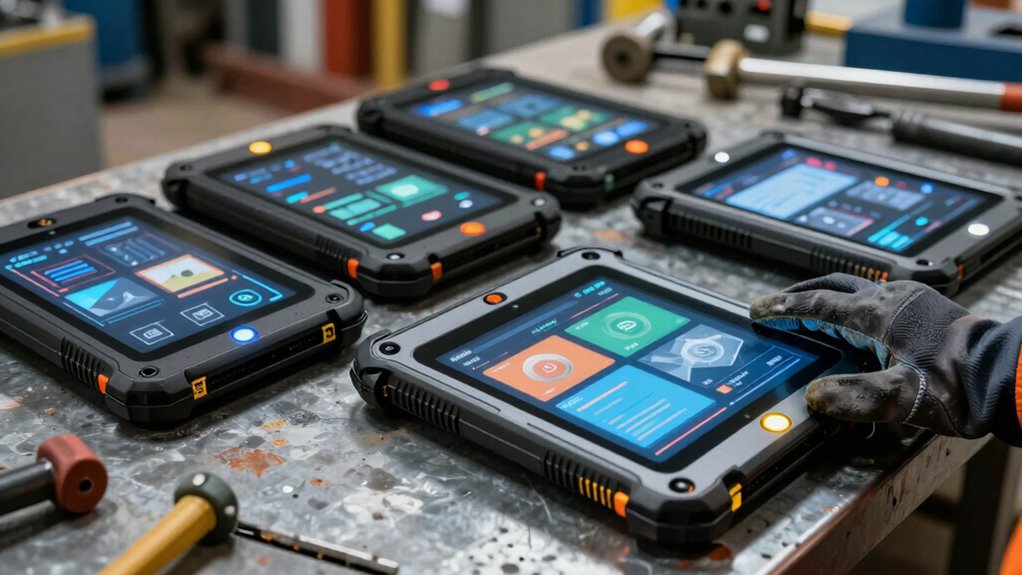

Choosing an intrinsically safe tablet for field inspections starts with matching its hazardous-area certification to the site’s rules—not simply picking the toughest-looking device. My leading picks are the HUGEROCK T71EX for its stated ATEX Zone 2 and IECEx credentials plus a bright screen, the HUGEROCK W105 for Windows workflows and broader ports, and the DORLAND EX Pad07 for a compact 5G-connected Android setup. They differ in screen size, operating system, endurance, and the certification details supplied, so none is a universal choice.

Get travel and outdoor gear delivered free with Prime
- Fast, free delivery on millions of items
- Prime Video, Amazon Music and more included
- Member-only deals all year
I rank these options by how well their stated hazardous-area credentials, field-use features, and practical limitations fit inspection work. Certification is site-specific: buyers should verify the exact model, marking, permitted zone, gas or dust group, and temperature class against the equipment documentation and their safety authority. I also flag two material specification conflicts—the T08S battery and operating system—rather than treating uncertain claims as confirmed capabilities.
Complete the kit



Key Takeaways
- Best fit for bright outdoor Zone 2 work: the HUGEROCK T71EX lists both ATEX Zone 2 and IECEx credentials and a 2200-nit display; verify its exact certification marking before use.
- Best for Windows-based inspection workflows: the HUGEROCK W105 combines stated ATEX certification with Windows 11, 16 GB RAM, and USB-A, USB-C, and HDMI, but activation and short stated battery capacity need attention.
- Best compact connected option: the DORLAND EX Pad07 pairs an 8-inch screen with stated ATEX Zone 2 certification, 5G, NFC, GPS, and a 9000 mAh battery.
- Best only when ruggedness and navigation outweigh newer software: the AKXJ T08I lists IP68 and multiple satellite systems, but its Android 9.0 and 4 GB RAM are dated for a new deployment.
- Pause before choosing the AKXJ T08S: its stated battery capacity conflicts between 850 mAh and 8500 mAh, and its Android version and display claims also need written confirmation.
| HUGEROCK T71EX Anti-Explosion Rugged Android Tablet 7 Inch |  | Best Overall for Bright Zone 2 Inspections | Screen: 7 inches; 2200 nits | Certification: ATEX Zone 2 and IECEx listed | Protection: IP67 listed; MIL-STD-810G stated | VIEW ON AMAZON | See Our Full Breakdown |
| HUGEROCK 10.1-inch ATEX Certified Explosion-Proof Rugged Tablet W105 |  | Best for Windows Inspection Workflows | Screen: 10.1-inch FHD IPS, 1920 × 1200, 600 nits | Certification: ATEX-certified claim; zone details not supplied | Protection: IP68; MIL-STD-810G | VIEW ON AMAZON | See Our Full Breakdown |
| DORLAND EX Pad07 5G Rugged ATEX Zone 2 Tablet |  | Best Compact Option for Connected Android Teams | Screen: 8-inch IPS, 1920 × 1200, 500 nits, 60 Hz | Certification: ATEX Zone 2 listed | Protection: IP67 | VIEW ON AMAZON | See Our Full Breakdown |
| AKXJ T08I Intrinsically Safe 8-Inch Industrial Tablet |  | Best for Multi-System Navigation and Basic Inspection Tasks | Screen: 8-inch IPS, 800 × 1280 | Certification: Hazardous-environment positioning stated; exact zone certificate not supplied | Protection: IP68 listed | VIEW ON AMAZON | See Our Full Breakdown |
| AKXJ T08S Intrinsically Safe 8-Inch Rugged Tablet |  | Best Potential Upgrade if the Supplier Resolves Its Specification Conflicts | Screen: 8-inch; listed resolution 800 × 1280, despite FHD title claim | Certification: Intrinsically safe claim; exact zone and certificate details not supplied | Protection: IP68 water, dust, and shock resistance claimed | VIEW ON AMAZON | See Our Full Breakdown |
| intrinsically safe tablet for field inspection | Screen | Certification | Protection | Processor |
|---|---|---|---|---|
| HUGEROCK T71EX Anti-Explosion | 7 inches; 2200 nits | ATEX Zone 2 and IECEx listed | IP67 listed; MIL-STD-810G stated | ARM Cortex A73 octa-core, up to 2 GHz |
| HUGEROCK 10.1-inch ATEX Certif | 10.1-inch FHD IPS, 1920 × 1200, 600 nits | ATEX-certified claim; zone details not supplied | IP68; MIL-STD-810G | Intel Celeron N5105, 1.1 GHz |
| DORLAND EX Pad07 5G Rugged ATE | 8-inch IPS, 1920 × 1200, 500 nits, 60 Hz | ATEX Zone 2 listed | IP67 | Qualcomm Snapdragon SDM4350, 2.2 GHz |
| AKXJ T08I Intrinsically Safe 8 | 8-inch IPS, 800 × 1280 | Hazardous-environment positioning stated; exact zone certificate not supplied | IP68 listed | MT6833 octa-core, 2.26 GHz |
| AKXJ T08S Intrinsically Safe 8 | 8-inch; listed resolution 800 × 1280, despite FHD title claim | Intrinsically safe claim; exact zone and certificate details not supplied | IP68 water, dust, and shock resistance claimed | MediaTek MT6789, two A76 cores at 2.2 GHz |
More Details on Our Top Picks
HUGEROCK T71EX Anti-Explosion Rugged Android Tablet 7 Inch
The T71EX ranks first because its listed ATEX Zone 2 and IECEx certifications are paired with field-oriented features rather than relying on ruggedness claims alone. Its standout advantage is the 2200-nit, 7-inch screen, which is a stronger stated brightness figure than the DORLAND Pad07’s 500 nits and should be more useful for reading inspection forms outdoors. Its listed 10,000 mAh intrinsically safe battery also gives it a more persuasive endurance story than the W105, whose stated 5000 mAh figure is accompanied by a very low watt-hour value.
The small display is a real compromise: compared with the W105’s 10.1-inch panel or either 8-inch AKXJ, the T71EX offers less space for diagrams, long reports, and side-by-side records. It runs Android rather than Windows, and the supplied information warns that safety certification can narrow the available app ecosystem. Its protection is described as IP67 in the detailed specifications, even though some product wording may suggest IP68, so I would confirm the exact rating and certification marking from the manufacturer before relying on either claim. It makes the most sense where sunlight readability and stated hazardous-area credentials lead the brief, not where a large screen or broad desktop software compatibility matters most.
Pros:- Lists both ATEX Zone 2 and IECEx certifications.
- 2200-nit display is the brightest stated screen in this comparison.
- Lists a 10,000 mAh intrinsically safe battery, NFC, and 4G LTE.
- IP67 and MIL-STD-810G claims address dust, water, and impact exposure.
Cons:- Seven-inch screen gives less workspace than the 8- and 10.1-inch alternatives.
- Android app availability may not suit desktop-dependent inspection workflows.
- Detailed specifications state IP67, so buyers should verify any conflicting IP68 claim.
Best for: Inspection crews working outdoors in an approved Zone 2 area who need a very bright compact screen, Android apps, NFC, and stated ATEX Zone 2 and IECEx credentials.
Not ideal for: Teams that need Windows-only software, a large screen for plans, or a certification decision without manufacturer documentation confirming the exact device marking and protection rating.
- Screen:7 inches; 2200 nits
- Certification:ATEX Zone 2 and IECEx listed
- Protection:IP67 listed; MIL-STD-810G stated
- Processor:ARM Cortex A73 octa-core, up to 2 GHz
- Memory and storage:8 GB RAM; 128 GB storage
- Battery:10,000 mAh, described as intrinsically safe
- Connectivity:4G LTE, dual-band Wi-Fi, Bluetooth 5.0, NFC
Our verdict“I would start with the T71EX for bright, compact Zone 2 inspections, subject to confirming its exact certification and protection documents.”
HUGEROCK 10.1-inch ATEX Certified Explosion-Proof Rugged Tablet W105
The W105 is my pick for teams whose inspection process depends on Windows software, larger forms, or wired peripherals. Its 10.1-inch FHD screen provides more working space than the T71EX, and the listed USB-A, USB-C, and HDMI ports offer connection options the Android-focused DORLAND and HUGEROCK T71EX do not list. The stated 16 GB RAM and 128 GB SSD also make it the most clearly specified Windows-oriented option here for multitasking and local files.
Those strengths come with two notable qualifications. The product information says Windows 11 is not activated, so deployment may involve activation and IT setup; buyers should confirm licensing terms before ordering. The listed 5000 mAh battery is described as approximately 2.7 Wh, a mismatch that makes runtime difficult to judge and looks especially weak beside the DORLAND’s 9000 mAh and the T71EX’s 10,000 mAh figures. The 600-nit display is brighter than the DORLAND’s listed 500 nits but far below the T71EX’s 2200-nit claim. This is a more compelling desk-to-site Windows tool than a long-shift untethered tablet unless the battery details are clarified.
The W105 is described as ATEX-certified and explosion-proof, but no zone or certification standard details are included in the supplied specifications. That leaves it behind the T71EX on the clarity of its stated hazardous-area credentials. Its IP68 and MIL-STD-810G claims add ruggedness, yet I would request the model-specific certificate and full marking before placing it on a hazardous site.
Pros:- 10.1-inch FHD screen offers more room for inspection forms than the smaller tablets.
- 16 GB RAM and 128 GB SSD are strong listed resources for a Windows workflow.
- USB-A, USB-C, and HDMI support varied industrial peripherals.
- Lists ATEX certification, IP68 protection, and MIL-STD-810G shock resistance.
Cons:- Windows 11 is listed as not activated, requiring buyers to confirm setup and licensing.
- Battery figures of 5000 mAh and approximately 2.7 Wh are difficult to reconcile.
- The supplied details do not state the ATEX zone or full certification marking.
Best for: Industrial teams that need Windows applications, 16 GB RAM, a larger FHD workspace, and familiar USB or HDMI connections for field equipment.
Not ideal for: Buyers needing clear stated zone-level certification details, long untethered runtime, or a tablet ready to run Windows without activation setup.
- Screen:10.1-inch FHD IPS, 1920 × 1200, 600 nits
- Certification:ATEX-certified claim; zone details not supplied
- Protection:IP68; MIL-STD-810G
- Processor:Intel Celeron N5105, 1.1 GHz
- Memory and storage:16 GB RAM; 128 GB SSD
- Operating system:Windows 11, not activated
- Battery and ports:5000 mAh, approximately 2.7 Wh listed; USB-C, USB-A, HDMI
Our verdict“I recommend the W105 when Windows compatibility and ports matter more than proven battery clarity or a fully specified zone rating.”
DORLAND EX Pad07 5G Rugged ATEX Zone 2 Tablet
The DORLAND EX Pad07 is the clearest choice for inspectors who want an 8-inch Android tablet with 5G and a straightforward listed battery capacity. Its ATEX Zone 2 claim gives buyers a stated zone to check against site rules, while 5G, NFC, Wi-Fi, Bluetooth, and GPS cover a broad set of mobile inspection tasks. The 9000 mAh battery is a more reassuring listed capacity than the W105’s conflicting battery figures, although actual runtime still depends on signal, brightness, and workload.
Compared with the T71EX, the Pad07 has a larger screen but a much lower stated brightness: 500 nits versus 2200 nits. That tradeoff favors reading more content at once over outdoor visibility in direct sun. Its 6 GB RAM is also the lowest clearly stated memory allocation among the newer Android options, behind the T71EX’s 8 GB and the T08S’s listed 8 GB. The product information gives Android 13/15, which is ambiguous rather than a dependable version commitment, and says update support timing is unknown. I would ask the supplier to confirm the shipped OS version and support policy before standardizing it across a fleet.
This pick sits between the T71EX’s sunlight-first design and the AKXJ T08I’s older, less capable software specification. It is best for mobile crews who value connectivity and an 8-inch form factor, provided their specific zone and certification requirements match the tablet’s documentation. The listing says ATEX Zone 2, but it does not give the full certificate details in the information available here.
Pros:- ATEX Zone 2 is stated directly in the product information.
- 5G, NFC, Wi-Fi, Bluetooth, and GPS support connected field workflows.
- 9000 mAh battery capacity is clearly listed.
- Eight-inch FHD resolution provides more workspace than the 7-inch T71EX.
Cons:- 500-nit screen is substantially less bright than the T71EX’s stated 2200 nits.
- 6 GB RAM is less than the listed 8 GB in the T71EX and T08S.
- Android 13/15 wording and software update support are unclear.
Best for: Field teams that need an 8-inch Android device with stated ATEX Zone 2 credentials, 5G connectivity, NFC, GPS, and a listed 9000 mAh battery.
Not ideal for: Outdoor inspectors who regularly work in intense direct sunlight, teams needing substantial memory headroom, or organizations that require a known update-support commitment.
- Screen:8-inch IPS, 1920 × 1200, 500 nits, 60 Hz
- Certification:ATEX Zone 2 listed
- Protection:IP67
- Processor:Qualcomm Snapdragon SDM4350, 2.2 GHz
- Memory and storage:6 GB RAM; 128 GB storage
- Operating system:Android 13/15 stated
- Battery and connectivity:9000 mAh; 5G, Wi-Fi, Bluetooth, NFC, GPS
Our verdict“I would choose the Pad07 over the T71EX when 5G and a larger screen outrank peak sunlight brightness, after confirming its OS and certificate details.”
AKXJ T08I Intrinsically Safe 8-Inch Industrial Tablet
The T08I earns a place for buyers who value IP68 protection and multi-system satellite navigation in an 8-inch format. GPS, GLONASS, and BeiDou provide more listed navigation systems than the GPS-and-GLONASS setup on the T08S, and its 7500 mAh battery is clearly specified. For basic location-tagged checklists in wet or dusty industrial settings, those details have practical appeal.
Its age shows in the software and memory figures: Android 9.0 and 4 GB RAM are a weaker foundation than the DORLAND’s stated Android 13/15 and 6 GB RAM, or the T71EX’s 8 GB RAM. That can limit app compatibility and leave less headroom for multiple tools, while the 800 × 1280 display has less resolution than the DORLAND’s 1920 × 1200 panel. Although it is described as intended for hazardous industrial environments and has an explosion-proof battery, the information supplied does not identify a specific ATEX or IECEx certificate or zone. That is a major verification step, not a detail I would infer from “intrinsically safe” wording.
I would place the T08I below the newer options for a fresh fleet purchase, but it may suit a buyer with a simple, already-supported Android application and a documented certification match. Compared with the T08S, it has fewer listed memory and storage resources but fewer major contradictions in the battery specification. I would still obtain written confirmation of its hazardous-area approval and the app support requirements before deployment.
Pros:- IP68 water- and dust-resistance claim suits harsh field conditions.
- GPS, GLONASS, and BeiDou are listed for positioning.
- 7500 mAh battery capacity is stated clearly.
- Includes 4G, Wi-Fi, Bluetooth, and NFC.
Cons:- Android 9.0 and 4 GB RAM are dated beside newer listed alternatives.
- 800 × 1280 resolution is lower than the DORLAND’s stated FHD resolution.
- The supplied specifications do not name an ATEX or IECEx zone certification.
Best for: Teams with simple inspection software that need an 8-inch rugged tablet, a stated 7500 mAh battery, and GPS, GLONASS, and BeiDou navigation.
Not ideal for: Buyers seeking a current Android platform, higher-resolution forms and maps, more memory, or supplied documentation naming its hazardous-area zone certification.
- Screen:8-inch IPS, 800 × 1280
- Certification:Hazardous-environment positioning stated; exact zone certificate not supplied
- Protection:IP68 listed
- Processor:MT6833 octa-core, 2.26 GHz
- Memory and storage:4 GB RAM; 64 GB storage
- Operating system:Android 9.0
- Battery and navigation:7500 mAh; GPS, GLONASS, BeiDou
Our verdict“I would consider the T08I only for a simple, verified workflow where its navigation and ruggedness claims outweigh its older software and unclear certification details.”
AKXJ T08S Intrinsically Safe 8-Inch Rugged Tablet
On paper, the T08S looks more capable than the T08I for demanding Android inspection apps: it lists 8 GB RAM, 128 GB storage, and a MediaTek MT6789 processor, compared with the T08I’s 4 GB RAM and 64 GB storage. It also claims IP68 water, dust, and shock resistance and lists GPS and GLONASS. If those specifications are confirmed, it could offer more room for apps, records, and offline files than its AKXJ sibling.
The difficulty is that several core details do not agree. The battery is shown as both 850 mAh and 8500 mAh; those numbers imply radically different field endurance, so I would not plan a shift around either one without written clarification. The software is called Android 11 in the description while the title lists Android 12. The screen is described as FHD in the title, but the supplied resolution is 800 × 1280, which is not FHD. These conflicts make the T08S harder to rank confidently than the DORLAND, whose screen and battery figures are more coherent, or the T71EX, whose role and screen brightness are more clearly stated.
Certification specifics are also missing from the supplied details, despite the “intrinsically safe” product description. That makes verification particularly important: a ruggedness rating cannot stand in for hazardous-area approval. I see the T08S as a conditional shortlist option rather than a recommendation to deploy based on the listing alone. Request the certificate, correct display resolution, exact Android version, and battery capacity in writing; if the answers are incomplete, choose a better-documented alternative.
Pros:- Lists 8 GB RAM and 128 GB storage, exceeding the T08I’s listed capacity.
- IP68 water, dust, and shock resistance is claimed.
- GPS and GLONASS are listed for field positioning.
- Expandable storage is stated up to 256 GB.
Cons:- Battery is listed as both 850 mAh and 8500 mAh.
- Android version conflicts between Android 11 and Android 12.
- FHD title claim conflicts with the listed 800 × 1280 resolution; certification details are not supplied.
Best for: Buyers willing to obtain supplier confirmation before purchase who want the listed 8 GB RAM and 128 GB storage for Android-based inspections.
Not ideal for: Teams that must approve devices from reliable published specifications, need predictable shift battery life, or require clearly stated zone-level certification.
- Screen:8-inch; listed resolution 800 × 1280, despite FHD title claim
- Certification:Intrinsically safe claim; exact zone and certificate details not supplied
- Protection:IP68 water, dust, and shock resistance claimed
- Processor:MediaTek MT6789, two A76 cores at 2.2 GHz
- Memory and storage:8 GB RAM; 128 GB storage, expandable to 256 GB
- Operating system:Android 11 in description; Android 12 in title
- Battery and navigation:850 mAh or 8500 mAh stated; GPS and GLONASS
Our verdict“I would shortlist the T08S only after the seller confirms its battery, operating system, display, and hazardous-area certificate in writing.”

How We Picked
I ranked these tablets for field inspection in hazardous locations, not for general-purpose tablet shopping. The first filter is the evidence supplied for hazardous-area use: the listed ATEX or IECEx claim, the stated zone where available, and whether a buyer has enough information to confirm the exact model’s suitability. A rugged enclosure or an “intrinsically safe” label alone does not establish that a device is approved for every explosive atmosphere. I would ask the supplier for certification documents and compare their markings with the site’s permitted equipment list before purchase or deployment.
After that, I compared practical inspection factors: screen visibility and size, battery information, ingress protection, operating system, memory and storage, and field connectivity. A bright display can help with outdoor forms; smaller screens are easier to carry but leave less room for drawings and checklists. Ports and a Windows environment may suit established desktop software, while Android models can make sense for mobile workflows. IP ratings and military-style ruggedness claims speak to durability, not hazardous-area approval, so I treat them as separate considerations.
I also gave weight to specification reliability. The T08S listing conflicts on battery capacity and software version, while the W105 states Windows 11 is not activated and gives a notably small battery figure. Those uncertainties affect planning and deserve more than a footnote. When a key number or certification detail is not supplied, I do not fill the gap with assumptions. The order rewards the strongest combination of stated hazardous-area credentials and usable inspection features, while the lower-ranked options have narrower advantages or more unresolved drawbacks.
| intrinsically safe tablet for field inspection | Certification | Protection | Processor | Operating system |
|---|---|---|---|---|
| HUGEROCK T71EX Anti-Explosion | ATEX Zone 2 and IECEx listed | IP67 listed; MIL-STD-810G stated | ARM Cortex A73 octa-core, up to 2 GHz | — |
| HUGEROCK 10.1-inch ATEX Certif | ATEX-certified claim; zone details not supplied | IP68; MIL-STD-810G | Intel Celeron N5105, 1.1 GHz | Windows 11, not activated |
| DORLAND EX Pad07 5G Rugged ATE | ATEX Zone 2 listed | IP67 | Qualcomm Snapdragon SDM4350, 2.2 GHz | Android 13/15 stated |
| AKXJ T08I Intrinsically Safe 8 | Hazardous-environment positioning stated; exact zone certificate not supplied | IP68 listed | MT6833 octa-core, 2.26 GHz | Android 9.0 |
| AKXJ T08S Intrinsically Safe 8 | Intrinsically safe claim; exact zone and certificate details not supplied | IP68 water, dust, and shock resistance claimed | MediaTek MT6789, two A76 cores at 2.2 GHz | Android 11 in description; Android 12 in title |
Factors to Consider When Choosing Intrinsically Safe Tablet For Field Inspections
I would choose an intrinsically safe inspection tablet by starting with the site’s approval requirements, then checking whether the screen, software, endurance, and connections fit the work. A feature that looks compelling on a listing cannot replace a matching certificate.Match the certificate to the actual work area
Ask for the model-specific certificate and the full equipment marking, then compare it with the site’s hazardous-area classification and approved-device rules. ATEX Zone 2 and IECEx are stated for the T71EX, while the DORLAND lists ATEX Zone 2. The W105 is described as ATEX-certified without a zone in the supplied details; the AKXJ listings do not provide specific certification documents here. I would not treat “rugged,” IP67, IP68, or “explosion-proof” wording as a substitute for confirming the approved zone, gas or dust group, and temperature rating with the manufacturer and site safety team.
Choose screen size and brightness for the inspection setting
A larger display helps with drawings, longer forms, and reviewing photos, but it can be harder to carry through tight spaces. The W105’s 10.1-inch panel offers the most workspace, while the 8-inch models balance viewing area and portability. For direct sun, the T71EX’s stated 2200-nit brightness stands out over the DORLAND’s 500 nits. The W105 lists 600 nits. Brightness figures do not guarantee legibility in every condition, so check screen behavior with gloves, required screen protectors, and the inspection app where possible.
Treat battery numbers as planning inputs, not a runtime promise
Battery capacity alone cannot predict a full shift: cellular signal, GPS, screen brightness, camera use, and cold conditions all affect draw. The DORLAND lists 9000 mAh and the T71EX 10,000 mAh, while the T08I lists 7500 mAh. The W105’s 5000 mAh and approximately 2.7 Wh figures conflict, and the T08S gives both 850 and 8500 mAh. I would get clarification on inconsistent figures and ask for realistic runtime under the actual app and connectivity load. Plan charging or spare-device coverage until field endurance is confirmed.
Check operating-system fit and support before standardizing
Windows may be the right choice for desktop-oriented software, especially when existing forms, peripherals, or file workflows depend on it; that points toward the W105, with the caveat that its Windows 11 installation is listed as not activated. Android may be simpler for dedicated mobile apps, but confirm app compatibility, device management, and security-update support. The DORLAND’s Android 13/15 wording is ambiguous, the T08I runs Android 9.0, and the T08S conflicts between Android 11 and Android 12. For a fleet purchase, ask for the exact shipped version and a support commitment, not just a family name.
Separate rugged protection from intrinsic safety
IP ratings describe resistance to water and dust under defined test conditions; a military-style shock-resistance claim concerns physical durability. Neither establishes permission to operate in an explosive atmosphere. The W105 and T08I list IP68, while the DORLAND lists IP67 and the T71EX’s detailed specifications list IP67. Confirm the exact protection rating and certificate independently, especially where product titles and detailed specifications differ. Also check drop, temperature, glove-use, mounting, and cleaning requirements against the inspection task and site procedures.
Match connectivity to the data the crew must collect
For connected inspections, the DORLAND’s listed 5G, NFC, and GPS are useful differentiators. The T71EX lists 4G LTE and NFC, while the W105 emphasizes Wi-Fi, Bluetooth, USB-A, USB-C, and HDMI. The AKXJ options list cellular or wireless features, though the exact network bands and performance details are not given. Check coverage at the site, offline form behavior, barcode or tag-reading needs, and whether peripherals can connect without compromising the approved hazardous-area setup. A port or radio feature should be evaluated alongside the site’s safety rules.
Frequently Asked Questions
What does intrinsically safe mean for a tablet?
It refers to equipment designed and certified to limit electrical or thermal energy so it does not ignite a specified hazardous atmosphere under approved conditions. The exact permitted use depends on the device’s certification and marking, including the applicable zone and atmosphere. I would request the certificate for the exact model and have the site safety authority confirm it matches the work area; rugged construction alone is not proof of intrinsic safety.
Which tablet in this comparison has the clearest stated hazardous-area credentials?
The HUGEROCK T71EX has the clearest combination in the supplied details, with ATEX Zone 2 and IECEx listed. The DORLAND EX Pad07 also states ATEX Zone 2. That does not make either suitable for every hazardous location: the buyer still needs to confirm the full certificate marking, area classification, and site approval. The other product descriptions provide less specific certification information, so I would request supporting documents before selection.
Which option is best for outdoor sunlight?
The HUGEROCK T71EX lists a 2200-nit display, the strongest brightness figure in this group, making it the most compelling candidate for reading forms outdoors. The W105 lists 600 nits and the DORLAND lists 500 nits. Brightness is only one factor, and the T71EX has a smaller 7-inch screen. I would also check reflections, glove operation, and the performance of the inspection app under the crew’s actual conditions.
Which model should I choose for a Windows-based inspection workflow?
The HUGEROCK W105 is the only option here specified with Windows 11, plus USB-A, USB-C, and HDMI for compatible equipment. It also lists 16 GB RAM and a 10.1-inch FHD screen. However, Windows is described as not activated, its battery figures are unclear, and the supplied ATEX details do not name a zone. Confirm licensing, runtime, and the device certificate before relying on it for field deployment.
Should I buy the AKXJ T08S if I need a long battery life?
Not until the battery specification is clarified. The T08S listing gives both 850 mAh and 8500 mAh, a major difference that prevents a sound runtime estimate. It also conflicts on Android version and display resolution. Ask the seller for written, model-specific specifications and hazardous-area certification documents; if those answers are not clear, the DORLAND or T71EX has more coherent stated battery information in the supplied details.
Conclusion
For most crews comparing these five, I would begin with the HUGEROCK T71EX if the job calls for a compact screen, strong stated sunlight brightness, and the listed ATEX Zone 2 and IECEx credentials. Choose the HUGEROCK W105 when Windows software, a larger display, and physical ports matter more than battery certainty. The DORLAND EX Pad07 is the better fit for an 8-inch connected Android workflow with 5G and a clearly listed 9000 mAh battery. The AKXJ T08I suits simpler navigation-focused work only after certification and app compatibility are checked; the AKXJ T08S should remain on hold until its conflicting specifications are resolved. In every case, I would make the final decision from the exact certificate, site approval, and confirmed operating specifications—not the product title alone.
Halloween Picks

Spirit Halloween 54-Inch Sitting Scarecrow Animatronic

10-Foot Halloween Inflatable Double-Headed Dragon Archway

10ft Halloween Inflatable Archway – Pumpkin Skeleton Yard Décor
As an affiliate, we earn on qualifying purchases.