TL;DR
Building your own AI workstation used to be cheaper, but in 2026, prebuilt systems often match or beat DIY on price and reliability. The real trade-off is control versus speed, with hybrid options gaining popularity.
Imagine needing a powerful AI workstation, fast. You have two choices: build it yourself or buy a preconfigured system. For years, building was cheaper, and buying was just about saving time. That’s no longer true in 2026.
The AI boom, supply chain hiccups, and bulk buying have flipped the script. Now, the decision hinges on more than just cost. It’s about speed, control, ongoing support, and how much you want to own or outsource. This article breaks down what really matters when choosing between building and buying in today’s fast-moving AI world.
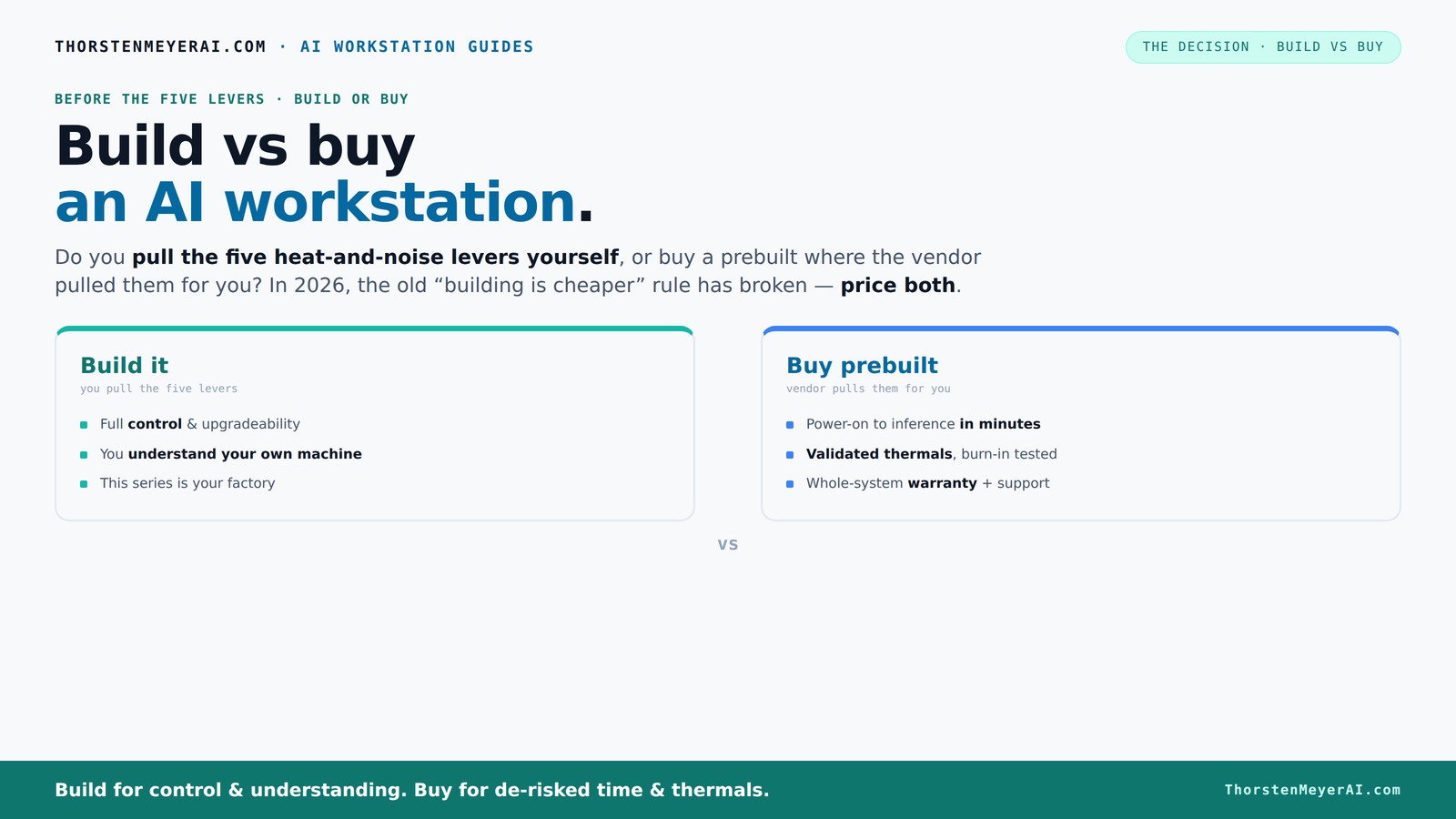
Build vs buy
an AI workstation.
The real question behind this whole series: do you pull the five heat-and-noise levers yourself, or buy a prebuilt where the vendor pulled them for you? And in 2026, the old “building is cheaper” rule has broken. Match your situation in Part 3.
Key Takeaways
- Component shortages in 2026 have made prebuilt AI workstations often cheaper than DIY, especially when factoring in time and expertise.
- The five levers of thermal management—undervolt, cooler, airflow, fan tuning, placement—are handled by vendors in prebuilt systems, saving you effort.
- Speed to deployment and support are key advantages of buying—systems arrive ready to run, with validation and warranties.
- Total cost of ownership over several years often favors prebuilt systems due to hidden costs of building, maintaining, and upgrading your own.
- A hybrid approach—buy the hardware, build custom workflows—strikes the best balance for many organizations in 2026.
prebuilt AI workstation
As an affiliate, we earn on qualifying purchases.
As an affiliate, we earn on qualifying purchases.
Why Building Your Own AI Workstation Is No Longer Always Cheaper
Building your own AI rig was once the way to save money. Now, component shortages and price spikes have changed that. For example, a high-end GPU like the NVIDIA A100 used to cost around $10,000, but in 2026 it often hovers above $15,000 due to scarcity. Learn more about build vs buy options.
Meanwhile, prebuilt vendors buy in bulk and negotiate better deals, passing some savings to you. A system from Lambda or Puget that used to be a $4,000 premium now can match or undercut your DIY costs, especially when you factor in the time and expertise needed to assemble and tune everything.
So, the old rule—"build is always cheaper"—no longer holds. It’s essential to price both options today, specific to your hardware needs and timeline.
custom AI GPU workstation
As an affiliate, we earn on qualifying purchases.
As an affiliate, we earn on qualifying purchases.
The Five Levers of Thermal and Noise Control—And Who Pulls Them
Running a high-power AI system cool and quiet is a delicate dance. The five levers? Undervolt your GPU, match the right cooler, optimize case airflow, set your fan curves, and place the machine carefully. Thermal management strategies are handled by vendors in prebuilt systems, saving you effort.
When you buy a prebuilt, the vendor handles all that. Systems from Lambda or BIZON are tested for hours, tuned for low noise, and validated under load—saving you the headache.
Building your own means you pull each lever. You pick a quiet GPU, undervolt it, choose a silent cooler, and tweak the airflow yourself. It’s rewarding but demands time, skill, and ongoing adjustments. The choice boils down to whether you want to own that process or pay for a factory-tuned system.
high performance AI desktop PC
As an affiliate, we earn on qualifying purchases.
As an affiliate, we earn on qualifying purchases.
When Buying Gets You Faster Deployment and Better Support
If time is money, buying often wins. Prebuilt systems come with everything installed—OS, AI frameworks like CUDA, TensorFlow, and PyTorch—ready to run. You power on, and you’re in business. See why prebuilt systems are faster to deploy.
In contrast, building requires sourcing parts, assembling, BIOS tuning, driver installation, and testing. That process can stretch over weeks or even months, especially if you hit snags.
Plus, vendors offer support contracts, warranties, and crash testing. If your system throttles or crashes during a big training run, they stand behind it. For busy teams, that peace of mind can justify the extra cost.
Understanding this difference is crucial because the time saved with a prebuilt system can be the difference between meeting a project deadline and missing it. Moreover, support services reduce the risk of costly downtime, which can have significant financial implications in a high-stakes AI environment. The ability to quickly troubleshoot and resolve issues means your AI projects stay on schedule, making prebuilt systems a strategic choice for time-sensitive operations.
AI workstation components
As an affiliate, we earn on qualifying purchases.
As an affiliate, we earn on qualifying purchases.
The Cost Equation: Total Cost of Ownership Over Time
Initial price is only part of the story. Building a system might seem cheaper upfront, but consider staffing, maintenance, upgrades, and downtime. According to recent data, a DIY AI workstation can rack up hidden costs—like hours spent troubleshooting or replacing parts. Learn more about long-term costs of AI infrastructure.
Prebuilt vendors include these costs in their price, often with extended warranties and support. Over three years, a prebuilt might cost less overall—especially if you factor in lost productivity during downtime or support delays.
Furthermore, maintenance and upgrades tend to be more straightforward with prebuilt systems, as vendors often provide modular components and simplified support channels. This can significantly reduce the total cost of ownership by minimizing unexpected expenses and ensuring your system remains current with evolving AI demands. The tradeoff is that you pay a premium for this convenience, but in many cases, the reduced risk and time savings justify the investment.
Choosing Based on Your Use Case: Research Lab, Creator, or Enterprise
The decision hinges on how you plan to use the machine. For a research lab needing custom hardware and strict compliance, building might be the better route. It gives you control over every component and security features. Explore regional tech and research infrastructure.
A creator or startup focused on rapid deployment benefits from buying. Systems are ready to go, with validated thermals and support, so you can start training models or generating content immediately.
Enterprises with complex workflows often mix and match—buy the base hardware, then build custom software layers or integrations. This hybrid approach is increasingly common, blending speed with control.
Understanding your specific use case is vital because it influences the level of customization, security, and support you need. For instance, research institutions may prioritize hardware flexibility and security over speed, while startups might prioritize quick deployment and ease of use. Recognizing these nuances helps ensure your investment aligns with your operational priorities and long-term goals.
Hybrid Strategies: The Best of Both Worlds in 2026
More organizations are adopting hybrid approaches. They buy a prebuilt platform for core hardware—saving time and reducing risk—and then customize the software or workflows on top.
For example, a startup might buy a high-end GPU server from Lambda, then develop proprietary AI models or data pipelines tailored to their niche. This way, they get reliable hardware plus unique competitive advantages.
This strategy balances speed, cost, control, and risk—especially in a rapidly evolving AI landscape where flexibility matters. It allows organizations to leverage the robustness of prebuilt hardware while maintaining the agility to innovate and customize their AI workflows. The implication is that hybrid solutions can reduce the time to market and enable rapid iteration, critical factors in competitive AI development.
Risk and Support: What You Need to Know
Building your own system means owning every part of its lifecycle—support, upgrades, and troubleshooting. If a component fails, you’re on your own unless you have dedicated expertise.
Buying shifts that burden to the vendor. They handle support, warranty repairs, and sometimes even software updates. This reduces operational risk and ensures your system stays current.
However, vendor dependence can lead to lock-in, making future upgrades or changes more complicated. Think carefully about your long-term needs before choosing. For example, if you expect rapid hardware advancements or need flexibility in scaling, building might offer more control. Conversely, if minimizing operational risk and ensuring quick support are priorities, buying provides peace of mind at the expense of some flexibility.
Questions to Ask Before Making Your Choice
Are you comfortable with sourcing parts and assembling hardware? Do you have the time and expertise? Is speed of deployment critical? How important is ongoing support and warranty? Do you need a highly customized environment? Each of these questions helps clarify whether to build or buy.
In 2026, many find a hybrid approach best—buy the hardware, build the software and workflows. But your specific needs will always be the final decider.
Frequently Asked Questions
Is it cheaper to build or buy an AI workstation?
In 2026, component prices and bulk buying often make prebuilt systems cheaper or comparable to DIY, especially when you factor in your time, troubleshooting, and support costs. Always price both options based on your specific hardware needs.How do I calculate the total cost of ownership?
Add up hardware costs, software licenses, support contracts, maintenance, upgrades, and your time spent troubleshooting or managing the system over several years. This provides a realistic view of long-term expenses.How much faster is buying than building?
Prebuilt systems typically arrive ready to deploy within weeks, while building can take months, especially if you encounter hardware compatibility issues or need custom tuning. Speed of deployment is one of buy’s main advantages.What level of customization do I lose if I buy?
Buying limits customization to what the vendor offers. If you need specialized hardware, custom cooling, or unique configurations, building gives you full control. Hybrid options can help bridge this gap.When does vendor lock-in become a problem?
Lock-in arises if you depend heavily on a vendor’s hardware, software, or support contracts. It can complicate future upgrades or migrations, so assess your flexibility needs before choosing a prebuilt solution.Conclusion
In the end, the best choice depends on what you need most: speed and reliability or control and customization. In 2026, many find that buying a prebuilt system offers a ready-made advantage, especially when time and support matter most.
But if your work hinges on unique hardware or software tweaks, building your own remains a rewarding challenge. The real question: what should you own? That’s the decision that shapes your AI journey.